In the Netvisor training environment, invoices can be transferred between two companies. This requires that you have rights to at least two companies and that a bank account has been created for both companies.
Creating a bank account
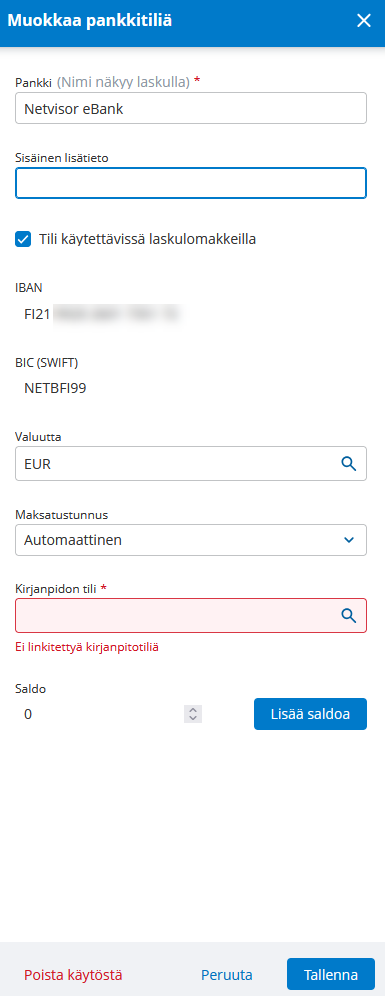
You can create a bank account by selecting Company name > Bank accounts.
- Select Create a virtual environment bank account.
- Add balance to the bank account so that you can pay purchase invoices from this bank account.
Creating sales invoices
You can create sales invoices between two training companies as follows.
- In company A, create a customer for the other training company using its name and the Business id with which the company was established.
- For the customer, add as the e-invoice address the other company's bank account that was created in this other company.
- Set the operator to Netvisor eBank.
- Send an e-invoice from company A to this other company.
- Make the corresponding configuration also in the other company so that you can send e-invoices back to company A.
- When the other company sends an e-invoice to company A, the invoice will appear in the company's accounts payable, from where you can pay it.
- Note that in the training environment, invoice attachments are not transferred between environments.
- When payments are received, a Bank statement is generated in the company the following night.
Payment of purchase invoices
You can pay purchase invoices in the training environment as follows.
- Create purchase invoices for the company.
- Put the purchase invoice into payment from the company's eBank account.
- Wait for the Bank statement to be generated on the night following the payment date.
- The generation of the Bank statement marks the purchase invoice as paid.
- Payment of the purchase invoice reduces the bank account balance.
Frequently asked questions
Question: What are the requirements for transferring invoices between two companies in the training environment?
Answer: You must have rights to at least two companies and a bank account must be created for both companies.
Question: How do I create a virtual environment bank account?
Answer: Select Company name > Bank accounts and select Create a virtual environment bank account, then add balance to the account.
Question: How do I set another training company as the recipient of a sales invoice?
Answer: In company A, create a customer with the other training company's name and Business id, add the other company's bank account as the e-invoice address for the customer and set the operator to Netvisor eBank.
Question: Are invoice attachments transferred between companies in the training environment?
Answer: No, they are not. In the training environment, invoice attachments are not transferred between environments.
Question: When is a Bank statement generated from payments and purchase invoice payments?
Answer: A Bank statement is generated in the company on the night following the payment date or the receipt of payments.
Keywords: Netvisor training environment, virtual environment bank account, creating a bank account, creating sales invoices, e-invoice address, Netvisor eBank, accounts payable, payment of purchase invoices, Bank statement, invoice attachments
Did you find it helpful? Yes No
Send feedback